License Activation
License Key T key_string
System Status
Auth Server
Online
Injection System
Operational
VAC Security
Undetected
Client
Download Latest Client
dev
Timeline
Dec 01, 2025
dev - Major Update
- Added new dashboard design.
- Improved injection speed by 40%.
- Fixed crash on Windows 11 23H2.
Nov 15, 2025
dev - Security Patch
- Updated security signatures.
- Resolved minor memory leak.
Oct 30, 2025
dev - Feature Drop
- Added Cloud Configs.
- New ESP visuals.
Profile Settings
Username T string
Email @ email
Security
Change Password
Two-Factor Auth
Disabled
Danger Zone
Delete Account
Support Tickets
Getting Started
Modules
Developer

Welcome to LEAF for Nostale

The most advanced automation software for Nostale. Level up, farm gold, and dominate the market while you sleep, protected by our enterprise-grade security.

Security First Architecture
LEAF utilizes a unique polymorphic engine that generates a custom build for every user. This ensures maximum security and undetectability across all supported anti-cheat systems.

System Requirements

Component Minimum Requirement Recommended
OS Windows 10 (2004+) Windows 11 (22H2+)
Processor Intel Core i3 / AMD Ryzen 3 Intel Core i5 / AMD Ryzen 5
RAM 4 GB 8 GB
Dependencies Visual C++ Redistributable 2015-2022, DirectX Runtime

Quick Links

Installation Guide
Step-by-step setup instructions.
Lua Scripting
Create custom scripts and logic.

Installation Guide

Follow these precise steps to ensure a clean and secure installation of the LEAF client.

Important Pre-requisites
Before proceeding, you MUST disable any third-party anti-virus software (Kaspersky, Norton, Avast) and Windows Defender Real-time Protection. These may interfere with the injection process.

Step 1: Preparation

Ensure your system meets the requirements and that you have your license key ready. You can find your license key in the email sent to you after purchase.

  • Disable Secure Boot in BIOS (Recommended for better stability).
  • Uninstall any other cheat software or conflicting overlays (Faceit AC, Vanguard).

Step 2: Download & Extract

Download the latest loader from the Dashboard home page. The file will be a ZIP archive.

// Recommended folder structure
C:\Leaf\
  ├── LeafLoader.exe
  ├── configs\
  └── scripts\

Step 3: Execution

  1. Right-click LeafLoader.exe and select Run as Administrator.
  2. Wait for the loader to connect to the authentication server.
  3. Enter your license key when prompted.
  4. Select your game dev and click Load.

Configuration Manager

Manage your cheat settings with our cloud-based configuration system. Share configs with friends or load pro presets instantly.

Cloud Sync
All your configurations are automatically encrypted and synced to our secure cloud servers. You can access them from any computer.

Managing Configs

The configuration menu can be accessed by pressing the INSERT key while in-game.

Action Description
Create Type a name in the input field and click 'Create' to save current settings.
Load Select a config from the list and click 'Load' to apply settings immediately.
Share Click the 'Share' icon to generate a unique 6-digit code (e.g., X7K-9LP).
Import Paste a share code to download and apply a community config.

Auto-Farm

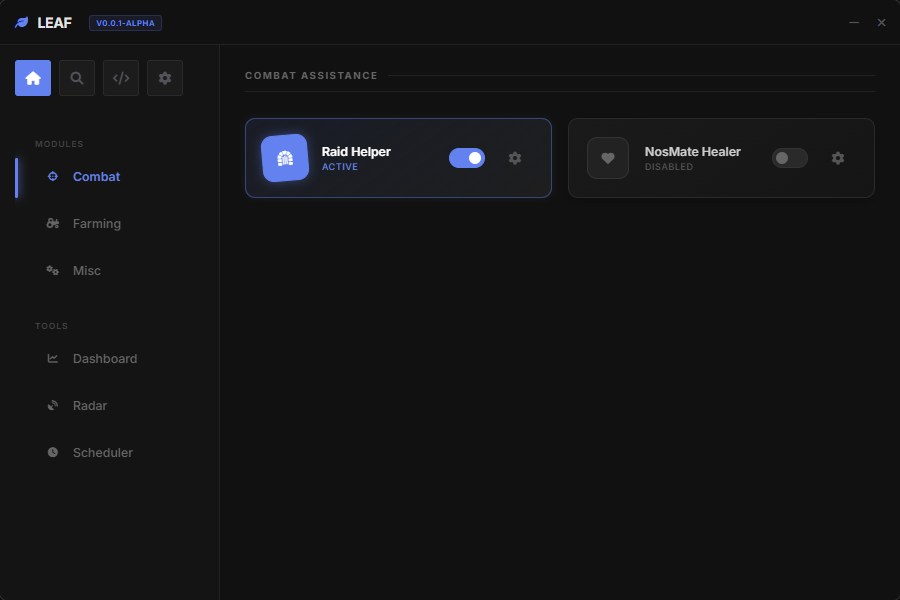
The core of LEAF. A highly intelligent botting engine capable of handling complex combat scenarios, skill rotations, and map navigation.

Combat Logic

  • Smart Targeting: Prioritizes mobs based on distance, HP, or custom filters (e.g., event mobs).
  • Skill Rotation: Define a sequence of skills to use. Supports cooldown tracking and MP checks.
  • Kiting: Automatically moves away from enemies while skills are on cooldown (essential for Archers/Mages).

Pathfinding

LEAF uses a mesh-based pathfinding system to navigate obstacles.

Mode Description
Radius Stays within a circular area around a center point.
Waypoints Follows a strict list of coordinates (X, Y). Good for linear maps.
Map Walk Explores the entire map randomly looking for mobs.

Guardian Module

Your safety net. The Guardian module monitors your character's status and the environment to prevent deaths and bans.

Auto-Potion

HP Manager
Automatically uses potions/snacks when HP drops below a percentage. Supports delay to look human.
MP Manager
Keeps your mana topped up for skill usage. Can sit to regenerate if out of potions.

Security Triggers

  • Player Detection: Pauses the bot or changes channel if another player enters your view.
  • GM Detection: Instantly logs out or plays a sound if a Game Master is detected nearby or in chat.
  • Death Handling: Auto-revive at town and walk back to the spot (requires Waypoint path).

Packet Logger

For advanced users. Analyze, filter, and inject raw network packets to manipulate the game client.

Interface Overview

The packet logger captures traffic between the client and server.

Packet Structure

Nostale packets are space-separated strings. Example: mv 120 145 10 (Move to X:120 Y:145 Speed:10).

# Example Packet Log
[IN]  c_info FlowUp 12345 1 100 100
[OUT] walk 120 145
[IN]  eff 1 5
[OUT] u_s 1 12345
Warning
Sending invalid packets can disconnect you or flag your account. Use with caution and test on alt accounts first.

Lua Scripting Engine

Extend LEAF's functionality with Lua. Create custom minigame bots, quest solvers, or complex combat logic.

Example: Auto-Buff Script

A simple script to keep a buff active.

-- Check every 1000ms (1 second)
Callbacks.Register("Pulse", 1000, function()
    -- If we don't have the 'Wolf Spirit' buff (ID: 123)
    if not Player.HasBuff(123) then
        -- Use Skill ID 5 (Buff Skill)
        Player.UseSkill(5)
        Client.Log("Re-buffing Wolf Spirit")
    end
end)

Event Callbacks

Event Name Description
Pulse Called periodically (defined interval).
PacketRecv Called when a packet is received from server.
Chat Called when a chat message appears.

API Reference

Complete documentation for the LEAF Lua API for Nostale.

Player Namespace

Function Description
Player.Hp() / Player.Mp() Returns current HP/MP percentage.
Player.Walk(x, y) Moves the character to coordinates.
Player.UseSkill(id) Casts a skill by ID.
Player.PickUp() Attempts to pick up items in range.

Packet Namespace

Packet.Send(packet_string) -- Sends a raw packet
Packet.Block(header) -- Blocks incoming packets with header